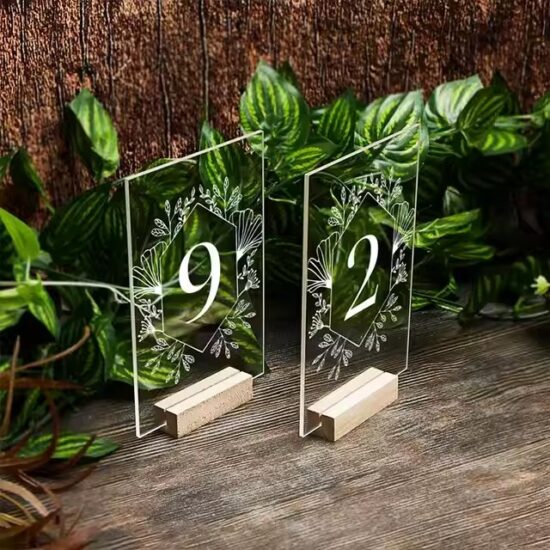
How to Incorporate Logos and Text in Acrylic Engraving: Best Practices
Acrylic engraving is a versatile and popular method to create professional signage, awards, and personalized products. Incorporating logos and text effectively is key to achieving clear, attractive, and durable results. Here’s a comprehensive guide to help you design and prepare your artwork for optimal acrylic engraving.
1. Prepare High-Quality Vector Files
-
Use Vector Formats: Logos and text should be prepared as vector files (e.g., AI, SVG, DXF) for crisp lines and scalability without loss of quality.
-
Simplify Complex Designs: Remove unnecessary details and fine lines that may not engrave well at small sizes.
-
Convert Text to Outlines: This prevents font compatibility issues during engraving.
2. Optimize Logo and Text Contrast
-
Use Solid Colors: Engraving relies on contrast between the engraved and non-engraved areas, so design logos with solid, distinct colors or monochrome.
-
Avoid Gradients: Gradients don’t translate well into engraving and may result in inconsistent engraving depths.
3. Choose Suitable Fonts and Sizes
-
Select Clear Fonts: Sans-serif fonts like Arial or Helvetica work well for engraving because of their simplicity and readability.
-
Maintain Adequate Size: Text should be large enough to remain legible after engraving; generally, a minimum height of 6-8mm is recommended.
-
Avoid Thin Strokes: Thin or delicate fonts may not engrave clearly and can break.
4. Adjust Laser Engraving Settings
-
Test Engraving: Perform test runs to fine-tune laser power and speed for clean, sharp engraving without burning or melting.
-
Depth Control: Control engraving depth to enhance visibility and tactile feel without compromising acrylic integrity.
-
Use Multiple Passes: For deeper engraving or complex designs, multiple passes at lower power may yield better results.
5. Positioning and Layout Considerations
-
Leave Margins: Ensure enough space around logos and text to avoid cutting or crowding edges.
-
Align Properly: Use alignment tools in design software to center or balance elements for aesthetic appeal.
-
Consider Layering: Combine engraving with printed colors or backlighting for enhanced visual effects.
✅ Final Thoughts
Incorporating logos and text into acrylic engraving requires careful preparation and understanding of both design and technical engraving aspects. By using high-quality vector files, optimizing contrast, selecting appropriate fonts and sizes, and adjusting engraving settings, you can create stunning, professional-quality acrylic signs and products.
Partner with experienced manufacturers who can advise on best practices and help bring your design vision to life with precision.